
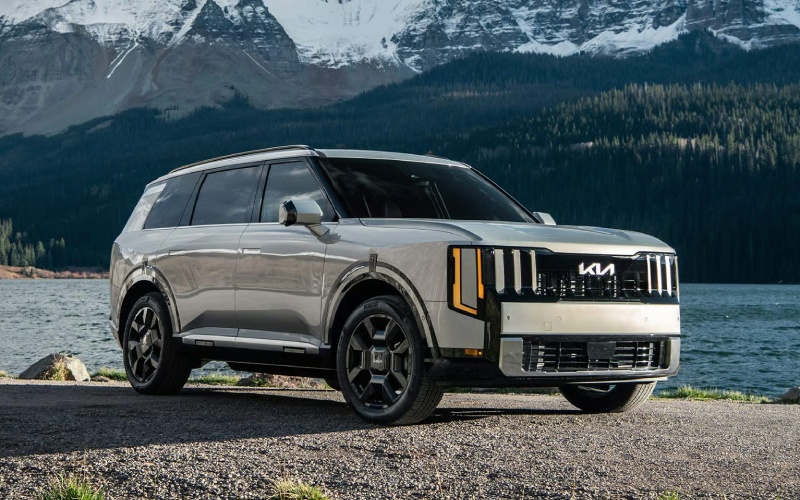
Grand Kia - Does Highway Driving Assist 2 on the 2027 Kia Telluride help with I-25 commutes around Northglenn, CO?
Highway traffic along I-25 can change in a heartbeat, and that is precisely where advanced driver assistance systems can make a meaningful difference. If you are exploring the 2027 Telluride for daily driving, Highway Driving Assist 2 is one of the most useful technologies to understand clearly before you choose your trim.
Highway Driving Assist 2 blends input from a front-facing camera, radar sensors, and navigation data to help with lane centering and adaptive cruise control on certain highways. When actively engaged, the system can help you maintain a set speed and following distance from the vehicle ahead and assist with steering to keep the Telluride centered in its lane. It can also provide steering input to help with lane changes when you activate the turn signal, using sensors to check for sufficient space. While you remain responsible for safe operation, HDA2 is designed to reduce routine workload in predictable highway scenarios—exactly the kind of stop-and-go patterns many Northglenn, CO commuters see every day.
It helps to see how HDA2 fits into the Telluride’s broader safety and assistance suite. Standard and available technologies include Enhanced Auto Emergency Braking Technology with junction support, Blind-Spot Collision-Avoidance Assist, Rear Cross-Traffic Collision-Avoidance Assist, Parking Distance Warning, and Navigation-Based Smart Cruise Control w/ Stop & Go. If you stack these together, you get a big-picture approach to awareness: forward-collision mitigation when it matters, blind-spot and cross-traffic help at lower speeds, speed adaptation as posted limits change, and lane centering on the highway with HDA2.
Setup is simple. From the steering wheel and center display, you can turn systems on and off and adjust following distance. Pair HDA2 with the available 12-in. Head-Up Display and the Combined 29.6-in. Panoramic Display w/ Navigation, and key details like set speed and guidance become easier to take in at a glance. The available Full Display Digital Rearview Mirror further boosts rearward visibility when the cargo area is full—handy for carpool days and warehouse club runs. The result is a cabin that keeps important information front and center while leaving you in control.
Just as important are the moments when HDA2 is not intended to be the answer. Complex construction zones, sharp curves with limited visibility, unmarked roads, and severe weather are times to rely on your own steering and speed adjustments, using the system as an aid only on appropriate highways. The best approach is to treat HDA2 as a helpful co-pilot for steady-state driving—not a substitute for attentive hands-on control.
How does HDA2 feel in real-world Front Range use? Drivers generally notice calmer, more consistent lane positioning and smoother speed transitions in heavier traffic. For example, as traffic ahead slows approaching an interchange, the system can decelerate to your preset following distance, then reaccelerate as the road clears. Activate the turn signal when a gap opens, and HDA2 can assist your lane change with gentle steering input while monitoring the adjacent lane. Pair that with available Blind-Spot View Monitor, which shows a live camera feed of your rear blind spots in the digital gauge cluster, and you have helpful extra sets of “eyes” at the moments that matter most.
Comfort features in the Telluride support those longer stretches, too. Tri-zone Auto Climate Control, USB-C charging across all three rows, dual wireless phone charging pads, and available heated and ventilated front and 2nd-row seats make it easier for everyone to settle in. For audio lovers, the available Meridian™ Premium Audio System w/ 14 Speakers fills the cabin with detailed sound, turning even a late afternoon crawl into time well spent. And when you exit the highway for errands, the available 360° Surround View Monitor takes the guesswork out of parking by offering an aerial view that helps with tight spots.
If your weekly routine includes frequent trips between Northglenn and neighboring communities, choosing the right trim can tailor HDA2 to your expectations. Trims offering Highway Driving Assist 2 typically also open the door to complementary technology like the Combined 29.6-in. Panoramic Display w/ Navigation and the 12-in. Head-Up Display. If you are active on unpaved roads on weekends, consider pairing those tech upgrades with All-Wheel Drive w/ Terrain Mode and, for more rugged needs, the X-Pro package that adds 9.1-in. ground clearance, all-terrain tires, recovery hooks, and the X-Pro Ground View Monitor & Off Road Display.
Want to try this technology in the real world? We recommend a test route that mirrors your commute—leave time for a highway run, a lane change or two under supervision, and an off-ramp to a busy shopping center. That way, you can see how the system behaves when merging, cresting overpasses, or slowing for interchanges. When systems like HDA2 are judged on your actual drive, the decision about whether it adds value becomes easier and more objective.
If you are comparing three-row SUVs for family life and everyday commutes, the Telluride’s combination of spacious seating, clear-sighted tech, and confident road manners stands out. Highway Driving Assist 2 is a centerpiece of that experience for many shoppers—helpful when traffic is heavy and the goal is to end the day a bit more relaxed. Grand Kia, serving Northglenn, Broomfield, and Westminster, can walk you through trims and demonstrate the controls so you know exactly what to expect from the first mile.
- Choose the right road: Use HDA2 on appropriate highways with clear lane markings and predictable traffic flow.
- Keep hands on the wheel: Treat HDA2 as a helpful aid—always stay attentive and ready to steer and brake.
- Adjust your settings: Set following distance and speed to match real conditions—leave a margin for sudden slowdowns.
- Combine with visibility tech: Check the Blind-Spot View Monitor and, if equipped, the 360° Surround View Monitor when changing lanes or parking.
Frequently Asked Questions:
Can Highway Driving Assist 2 handle lane changes by itself?
When available and actively engaged, HDA2 can provide steering input to help guide the Telluride into an adjacent lane after you activate the turn signal and the system detects sufficient space. You remain responsible for safe operation at all times.
Is HDA2 the same as Navigation-Based Smart Cruise Control w/ Stop & Go?
No—HDA2 focuses on lane centering and assisted lane changes on certain highways. Navigation-Based Smart Cruise Control w/ Stop & Go can help adjust speed as posted limits change and adapt vehicle speed for upcoming curves, while maintaining a set following distance in traffic.
Which trims offer Highway Driving Assist 2?
Highway Driving Assist 2 is available on higher Telluride trims. We will help you review current availability so you can pair HDA2 with the display, audio, and seating options you prefer.
Does the Telluride include other visibility aids?
Yes—available Blind-Spot View Monitor shows a live camera feed of your rear blind spots in the digital cluster, the available 360° Surround View Monitor provides an aerial perspective when maneuvering, and the available Full Display Digital Rearview Mirror helps keep rearward visibility clear even with cargo loaded.