
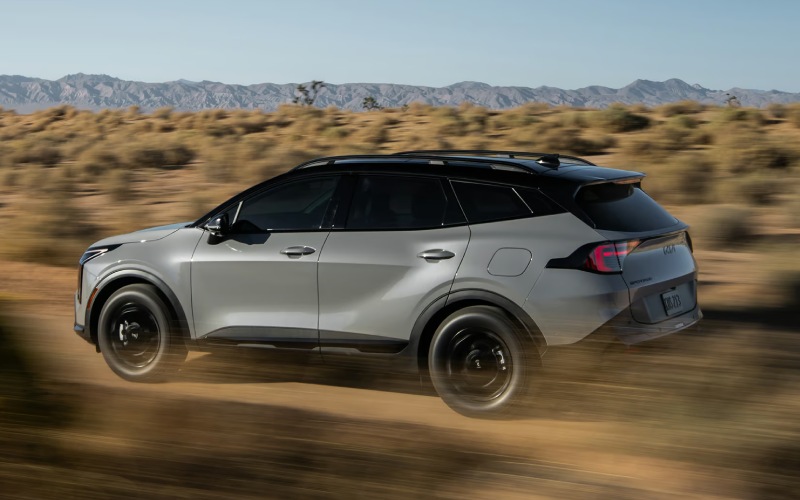
Grand Kia - How the 2026 Kia Sportage Dual Panoramic Display Elevates Daily Driving around Denver, CO
The 2026 Kia Sportage takes the everyday compact SUV experience and makes it feel fresh, organized, and more intuitive—thanks in large part to its available Dual Panoramic Display with approximately 24 inches of combined screens. In a city like Denver, where quick glances and timely decisions matter during merges on I-25 or route changes downtown, the right information in the right place helps you drive with more confidence. The Sportage’s dual-screen layout brings essential details into a single, cohesive view that feels natural within a few minutes of seat time.
Think of it as a single command center with two dedicated areas: one for your instrument cluster and one for your infotainment hub. That means driver information remains crisp and legible, while navigation, audio, and connectivity live within easy reach on the touchscreen. The result is less toggling around and more straight-line focus. It’s not just about size—it’s about clarity, organization, and the way the interface keeps what you need at hand without overwhelming the layout.
What makes the Dual Panoramic Display so useful?
First, the display excels at simplifying transitions across tasks. When you pull out of a parking spot near Ball Arena or head south on Broadway, you’re often juggling navigation prompts, traffic updates, drive-mode insights, and playlists. The Sportage’s available dual-screen layout separates those responsibilities cleanly. The cluster displays speed, driver-assist status, and turn-by-turn details in an easy-to-scan format, while the adjacent touchscreen houses your map, audio, phone tools, and Kia Connect features. You feel oriented without feeling overloaded.
Second, the system complements the Sportage’s available camera-based confidence features. Pair the Dual Panoramic Display with the available 360° Surround View Monitor, and the overhead perspective fills the screen with crisp clarity while the cluster keeps you aware of gear position, steering angle, and proximity cues. Maneuvering into a tight space near Union Station becomes less stressful, especially when combined with standard front and rear parking sensors and available side sensors.
How this display supports real Denver driving
City driving is made up of micro-decisions. A quick glance to confirm lane guidance on Speer Boulevard. A split-second choice to turn left before Colfax congestion. The Sportage’s available Dual Panoramic Display helps you anchor those decisions. Clear lane-level mapping reduces second-guessing, and the natural menu structure keeps audio or phone controls a single press away. Wireless Apple CarPlay® and Wireless Android Auto™ integration mean no cable clutter, and voice commands handle a surprising number of tasks if you prefer to keep your hands on the wheel.
On longer stretches—say, out to Red Rocks—the layout pairs nicely with available Highway Driving Assist, which can help manage speed, following distance, and steering assistance when engaged properly. Your cluster keeps the relevant information front and center, and the touchscreen remains dedicated to route updates and entertainment. It’s the kind of subtle synergy that adds up to a calmer, more comfortable drive.
Tips for customizing your view
Spend a few minutes tailoring screen elements to your routine. Choose the gauge theme you like, decide what you want shown in the driver’s display during turn-by-turn navigation, and pin your most-used apps to the top of the infotainment screen. Consider setting up multiple Bluetooth profiles if more than one person drives the vehicle—handy for real-life swaps near Cherry Creek or errands around Highland. And if you frequently parallel park along city streets, add the camera shortcut to your home screen for faster access.
- Adjust cluster themes to fit your preferences
- Pin favorite apps on the infotainment home screen
- Set up multiple Bluetooth profiles
- Create shortcuts for camera views and driver-assist menus
Don’t forget to explore helpful connected features. Remote Start & Climate Control lets you pre-condition the cabin before a morning commute, while Find My Car can guide you back to your Sportage after an event. Over-the-Air updates keep infotainment current with new enhancements, so the system you rely on continues to improve.
Frequently Asked Questions:
Is the Dual Panoramic Display standard on every 2026 Kia Sportage?
The dual-screen setup is available on the 2026 Sportage. Many models include a 12.3-inch touchscreen with Wireless Apple CarPlay® and Wireless Android Auto™ as standard, and you can step up to the Dual Panoramic Display on selected trims.
Does the Dual Panoramic Display work well with the 360° Surround View Monitor?
Yes. When equipped, the 360° Surround View Monitor provides an aerial perspective on the touchscreen to support low-speed maneuvers, while the driver display continues to show key vehicle data for an organized, confidence-building view.
Can I use the display to control climate settings and connected features?
Many comfort and connected functions are accessed on the touchscreen or via voice control. You can also use features like Remote Start & Climate Control and Find My Car through Kia Connect and the Kia Access app, when equipped and activated.
Is Wireless Apple CarPlay® and Wireless Android Auto™ easy to set up?
Yes. Pairing is straightforward—simply follow the on-screen prompts to connect your compatible smartphone. Once connected, you’ll have access to maps, messaging, music, and more without plugging in a cable.
If you want a compact SUV that reduces clutter and clarifies decisions, the 2026 Kia Sportage’s Dual Panoramic Display is a core reason it feels modern and approachable. It reinforces other tech and safety advantages in the lineup, such as the available 360° Surround View Monitor, Blind-Spot View Monitor, and Highway Driving Assist. The entire setup is practical for urban Denver errands, highway commuting, and even weekend detours out toward the foothills.
You can see this technology in action with a personalized walkthrough—an easy way to explore menus, try camera views, and learn a few shortcuts you’ll use every day. When you are ready to connect with a team that knows how to tailor features to your lifestyle, Grand Kia can help with hands-on guidance and simple next steps. We’re proud of our local approach, serving Denver, Northglenn, and Broomfield with advice that matches real roads and real routines.